Elegant and user friendly typing tutor
Many typing tutors on the Mac are often either too bland or too technical. CueType treads a steady line between the two providing an effective yet accessible typing tutor for all abilities.
Top Recommended Alternative

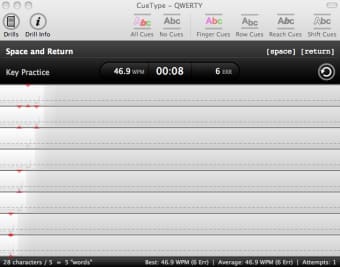
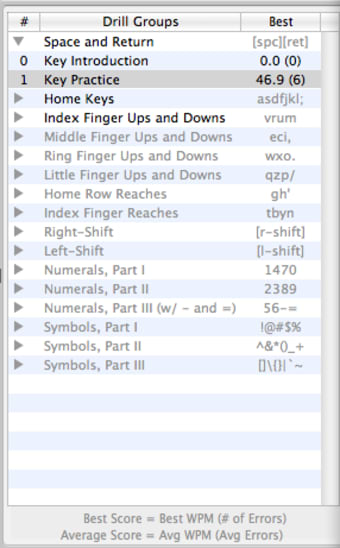
CueType organizes drills by drill types. So for example, if you want practice using the Space and Return key, select Space and Return. Other choices include Right-Shift, Numerals and Symbols. You can set thresholds for the number of errors and words per minute (WPM) to make things tougher or easier for yourself.
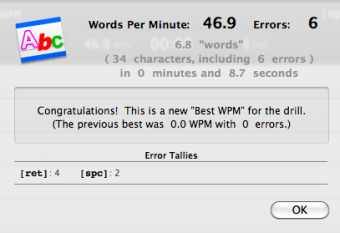
Once you've chosen your drill, you can click on Drill Info to obtain further information about what the drill involves and obtain a few tips on which fingers to use. Then all you need to do is hit the first key in the drill and CueType instantly starts tracking your WPM and errors. As you type, CueType offers you some cues as to how to improve including Finger Cues, Row Cues, Shift Cues and Reach Cues.
The downside of CueType is that compared to many typing tutors, it only supports a limited number of keyboards namely US QWERTY and Dvorak. It also doesn't feature much in the way on analysis of your typing skills.
Overall, CueType is an elegant, simple and well thought-out program that will appeal to all levels.
Changes
* Major revision. * Added support for the Dvorak keyboard layout * Added printable Performance Reports, and moved statistics-clearing commands to that panel * Added Keyboard panel, with Ghost-Typing features * Added Auto-Restart features for easy do-overs * Universal Binary: Now runs natively on Intel- and PowerPC-based Macs * Provided a "darker" theme on the main window to improve focus on the drill text area * Added automatic checking for program updates * Improved the graphics and added magnification options for the drill text * Separated menu commands from the Drill menu into a Drills menu and an Attempts menu * Miscellaneous bug fixes * Free upgrade for users of version 1.x